 Doorbook
Set the building up once
Doorbook's first run is two screens: a welcome, then your rooms and rates. It does not ask for a single meter reading. The rest — the first round, the first bill, how tenants pay you — you do when you reach it, with a setup guide on Home keeping count.
There is no account to create and no sign-up. Open the app and it starts on a welcome screen, because everything it needs lives on your phone.
-
1Welcome
Start on the welcome screen
A marker at the top shows which of the two steps you are on: 1/2, then 2/2. The welcome screen shows what the free plan covers — 18 rooms and 3 room types — and has a language menu, so you can switch the app's language before you type anything. Then tap Get started.
-
2Rooms
Enter your rooms, then your rates
Describe the building by room type — a name, how many rooms and their rent — and Doorbook numbers the rooms for you, floor by floor if you like. Each line becomes a room type. You can also add rooms one at a time with Add room. Below the rooms sit the Default rates: the electricity, water and internet charges every new room starts with, already filled in for your country and editable in place.
-
3Or skip
…or start with an empty book
Nothing on that screen is required. Skip, or the button that reads Start (add rooms later), takes you straight in; add rooms whenever you are ready in Settings.
-
4Guide
Follow the setup guide on Home
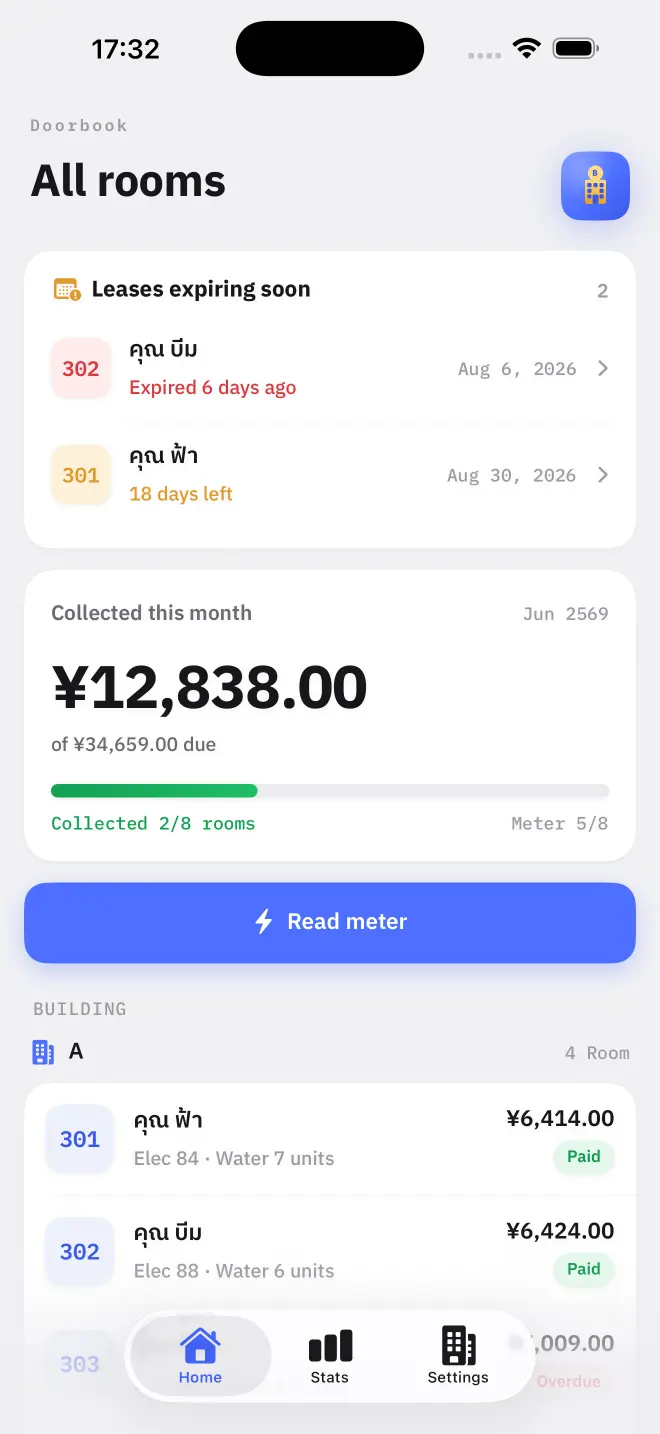
Home shows a Get started card with four steps and a count of how many are done, from 0/4 to 4/4: Rooms and rates, Read meter, Payment channel and Mark as paid (cash). A step ticks itself off when your records show it done, not when you tap it; a finished step trades its arrow for a tick and the word Done. Close the card at any time — it also leaves by itself once all four are done.
How tenants pay is set at the first bill
Setup does not ask for a payment method. When you open your first bill, Doorbook offers to set one up: PromptPay in Thailand, VietQR in Vietnam, KHQR in Cambodia, PIX in Brazil, SEPA in the euro area, or a photograph of your own bank or wallet QR anywhere else. The bill can be shared without it. Skip hides the offer, and the guide's Payment channel step opens the same settings whenever you are ready.
Why the first reading matters more than anything else
A utility meter is a counter. It does not report what a room used this month; it reports everything the meter has ever counted. Doorbook works out consumption by subtracting last month's figure from this month's — so every bill depends on the first figure a meter was given.
Rooms created from room-type lines need no figure at setup. The first reading you take on each of their meters becomes its baseline: the meter screen says First reading · this becomes the initial meter reading · usage is billed from next month, that month's bill charges rent and the other fixed charges but no units, and usage is billed from the next month on.
On your first round, walk the building with the app open and type each meter's face value as you stand in front of it. Those figures are what every later bill measures from.
What you do not have to do
- No account, no email, no password. Nothing is registered anywhere.
- No tenant app. Tenants never install anything — they receive a bill and a QR code.
- No connection. The whole app works offline, which matters because meter cupboards are where signal goes to die.
- No card details. Doorbook is free for your first 18 rooms and 3 room types.
Read next
Rooms, rent and rates
How to add rooms in Doorbook, set rent, internet and per-unit electricity and water rates, override the defaults for one room, and group rooms into buildings.
NextReading the meters
How Doorbook turns meter readings into billable units: type the number on the meter face, and the app subtracts last month's figure and applies your rate.